Chapters
- 1What is SvgTrace?
- 2Create an account
- 3Sign in
- 4Upload your image
- 5Your picture converts automatically
- 6Retrace and Modify
- 7Meet the SVG Editor
- 8Work with colour layers
- 9Edit paths and shapes
- 10Save and reopen your design
- 11Export your file
- 12Trace Orders
- 13Free account and Pro
- 14Credits
- 15Generate, Resize and Bulk Convert
- 16If something looks wrong
- 17FAQ
- 18Get help
Upload works with JPG, PNG, WebP and SVG files. Pictures can be up to 20 MB.
To upload an image
- 1
On Home, click Upload in the left sidebar. Or drag your picture onto the Upload button itself (not anywhere else on the page).
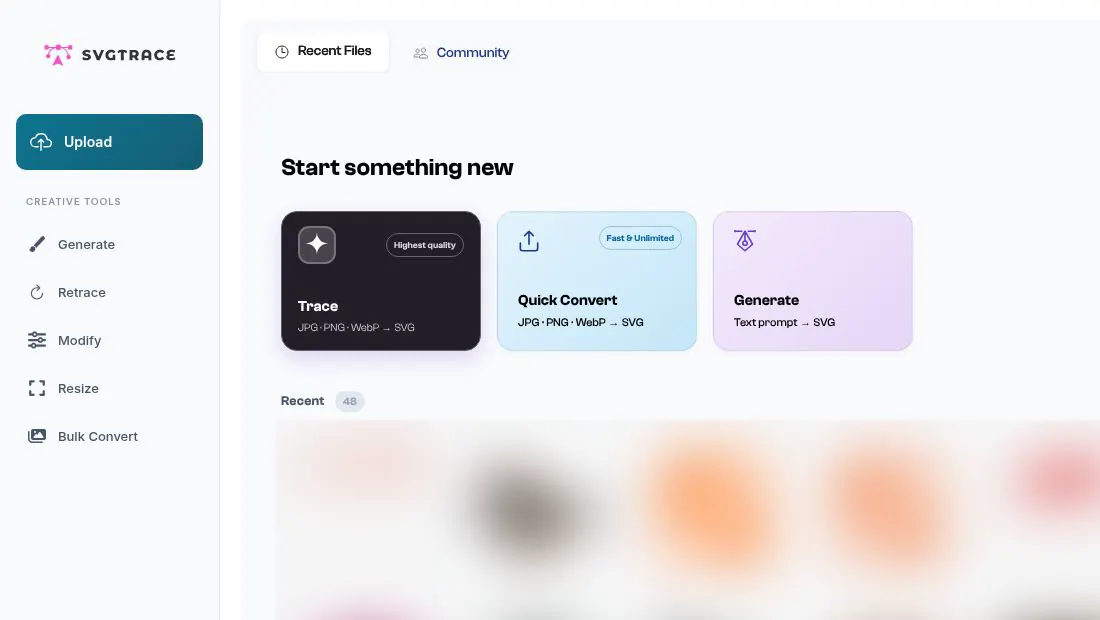
- 2
Choose your file. A JPG, PNG or WebP picture opens in the converter. An SVG file opens straight in the SVG Editor.