Chapters
- 1What is SvgTrace?
- 2Create an account
- 3Sign in
- 4Upload your image
- 5Your picture converts automatically
- 6Retrace and Modify
- 7Meet the SVG Editor
- 8Work with colour layers
- 9Edit paths and shapes
- 10Save and reopen your design
- 11Export your file
- 12Trace Orders
- 13Free account and Pro
- 14Credits
- 15Generate, Resize and Bulk Convert
- 16If something looks wrong
- 17FAQ
- 18Get help
On the web, a signed-in free account goes to checkout and needs Pro to convert pictures or use the editor. On iOS, a free account can open Home.
Pro gives you unlimited Quick Convert, the full editor, every export format, and a commercial license. On the web, Pro is $17.99 a month or $119.88 per year. There is no free trial. Pro is billed at checkout.
To manage your plan
- 1
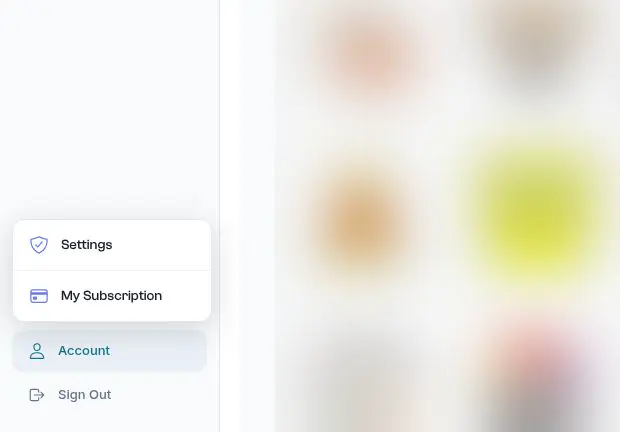
Click Account at the bottom of the sidebar, then Settings.
- 2
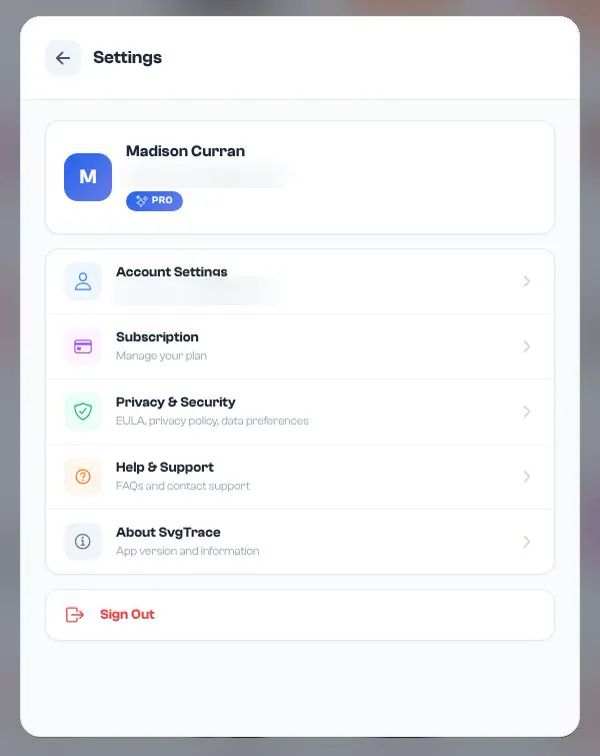
Click Subscription.
- 3
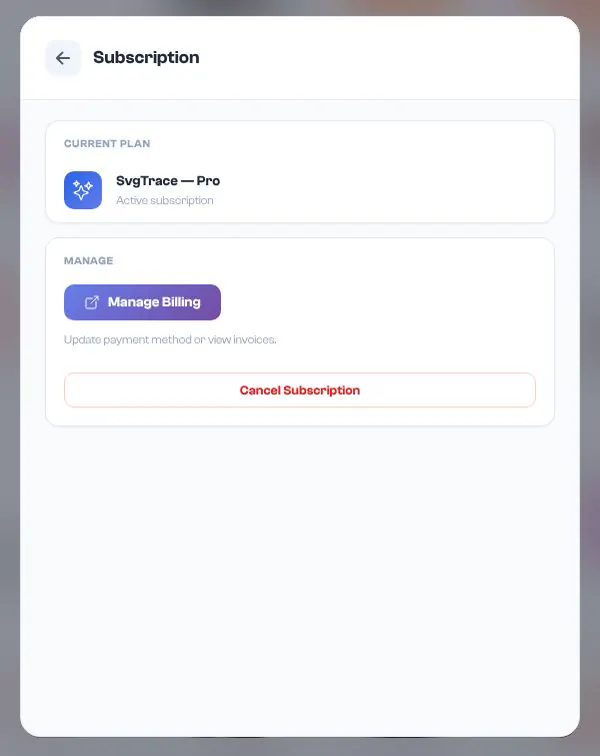
You'll see SvgTrace — Pro. Click Manage Billing to update your payment method or view invoices, or Cancel Subscription to cancel.