Chapters
- 1What is SvgTrace?
- 2Create an account
- 3Sign in
- 4Upload your image
- 5Your picture converts automatically
- 6Retrace and Modify
- 7Meet the SVG Editor
- 8Work with colour layers
- 9Edit paths and shapes
- 10Save and reopen your design
- 11Export your file
- 12Trace Orders
- 13Free account and Pro
- 14Credits
- 15Generate, Resize and Bulk Convert
- 16If something looks wrong
- 17FAQ
- 18Get help
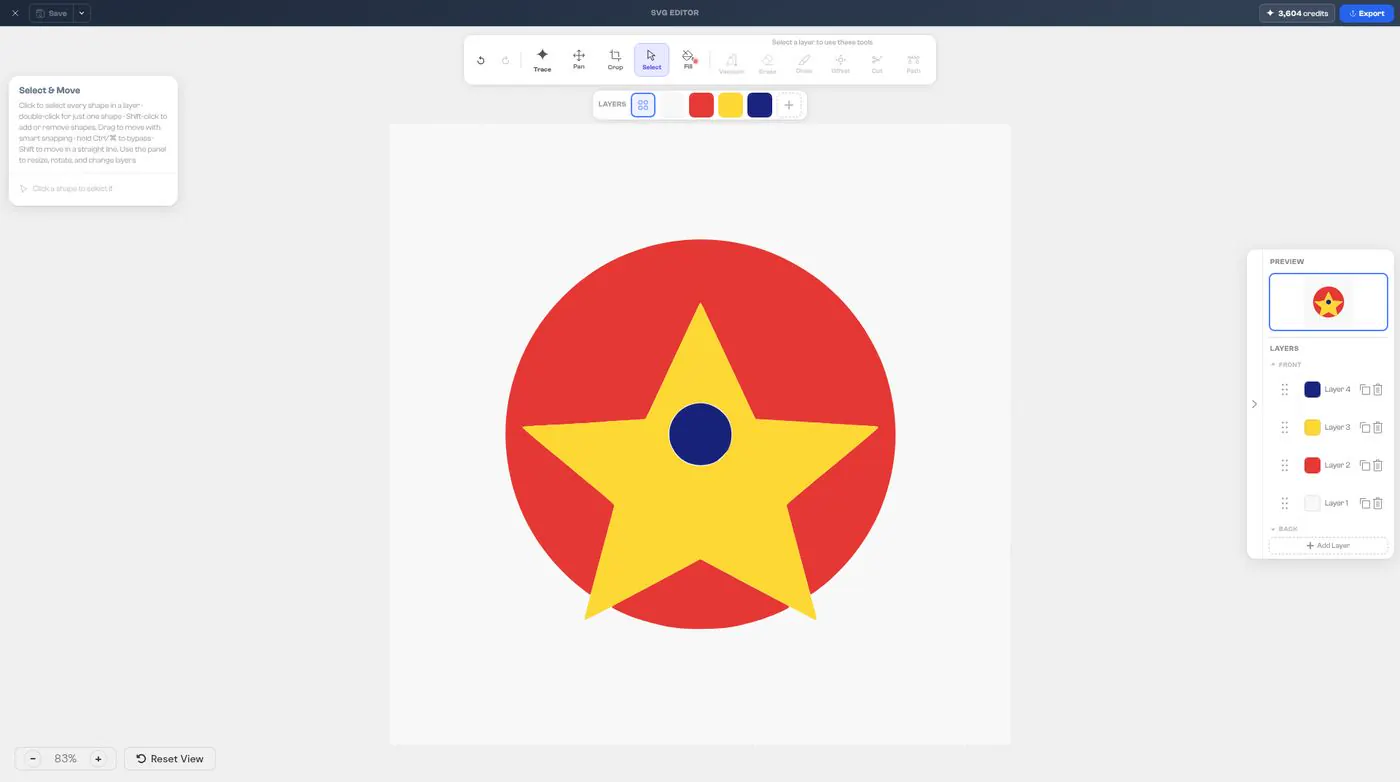
The SVG Editor is where you fine-tune your design. Your design sits in the middle.
Top bar: Save, your credits, and Export.
Toolbar: Undo, Redo, Trace, Pan, Crop, Select and Fill, then the layer tools.
Layers bar: your colour layers, just below the toolbar.
Right panel: Preview and Layers.